Press kit
Everything you need to write about DeskShift. Use any of it freely. If something is missing, write to deskshift@binisor.com and you'll hear back from me directly.
In one sentence
DeskShift puts an IKEA IDÅSEN standing desk in the Mac menu bar: one tap, one shortcut or a schedule moves it to the height you want.
In one paragraph
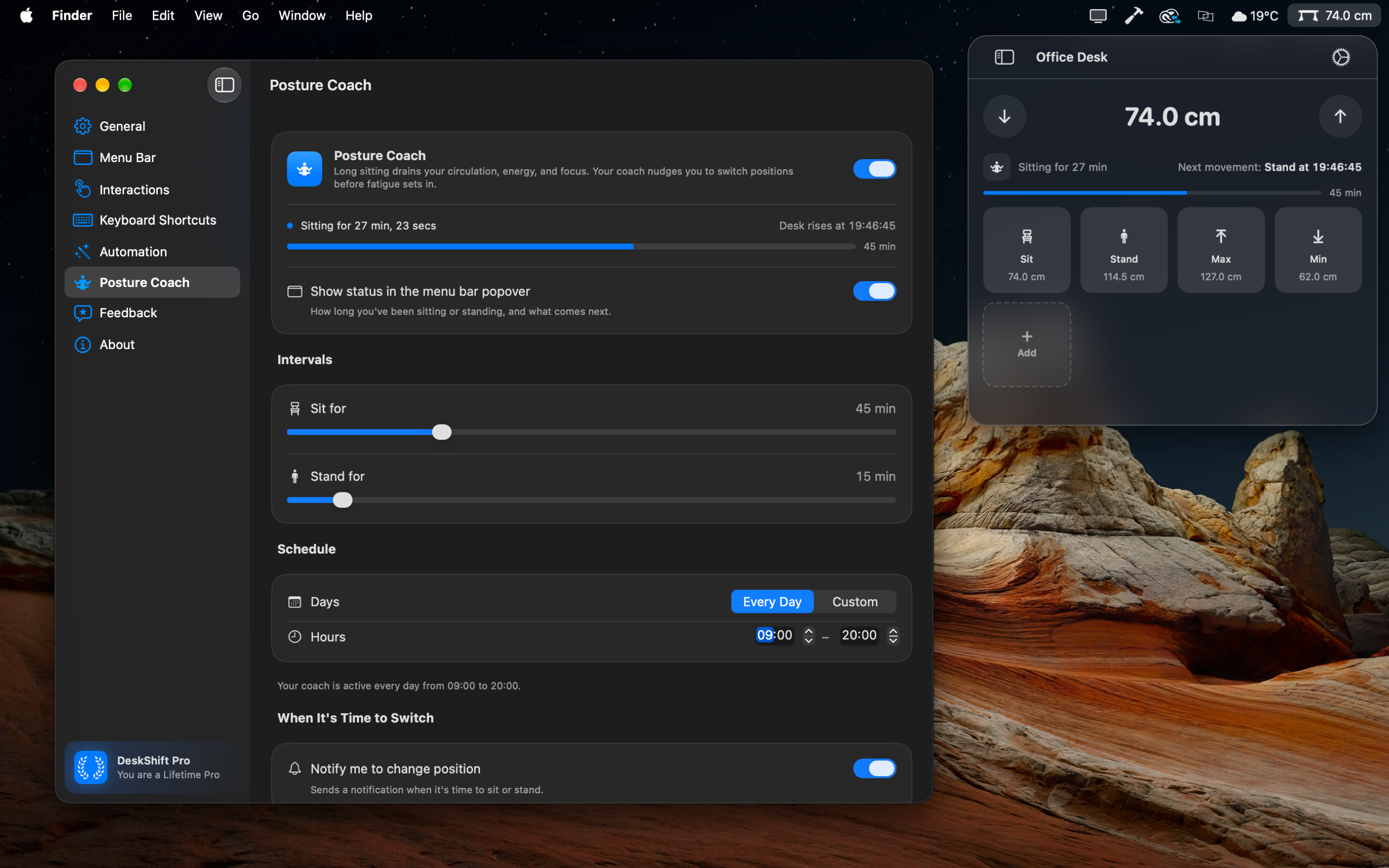
Many standing desks spend most of the day at sitting height. Changing position means stopping, reaching under the desk and holding a button until it gets there. DeskShift is a native Mac app that removes that step. It lives in the menu bar, remembers up to 12 named heights, and moves the desk from a tap, a keyboard shortcut, a desktop widget, Spotlight, the Shortcuts app or Siri. Its Posture Coach reminds you to switch positions, or moves the desk for you on a schedule you set, and waits while you're on a call. There is no account, no tracking and no subscription: the basics are free and Pro is a one-time purchase.
Fact sheet
- App
- DeskShift
- Made by
- Ionut Binisor, independent developer, Bucharest, Romania
- Platform
- macOS 15 or later (the desktop widget: macOS 27), Mac App Store only
- Current version
- 1.4.0, released November 23, 2026
- First released
- July 5, 2026
- Price
- Free to download. Pro is a one-time purchase: $19.99 in the US, €19.99 in the euro area. Every install starts with a 14-day full Pro trial.
- Works with
- IKEA IDÅSEN (the tested desk). Other desks with a Linak Bluetooth controller on a best-effort basis.
- Languages
- English and 46 more
- Privacy
- No account, no analytics, no tracking, no ads
- Mac App Store
- apps.apple.com/app/deskshift/id6773494854
- Contact
- deskshift@binisor.com
What it does
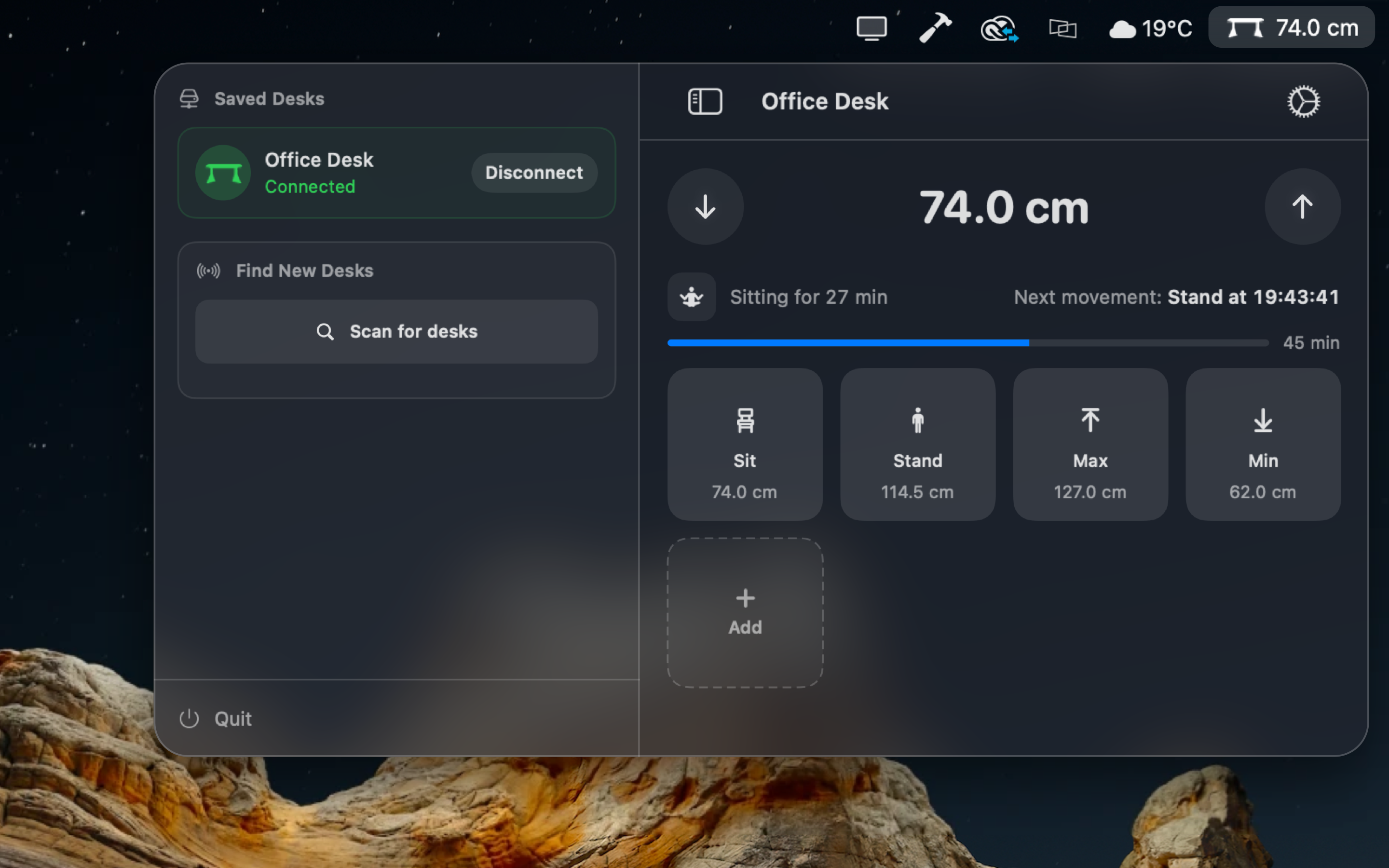
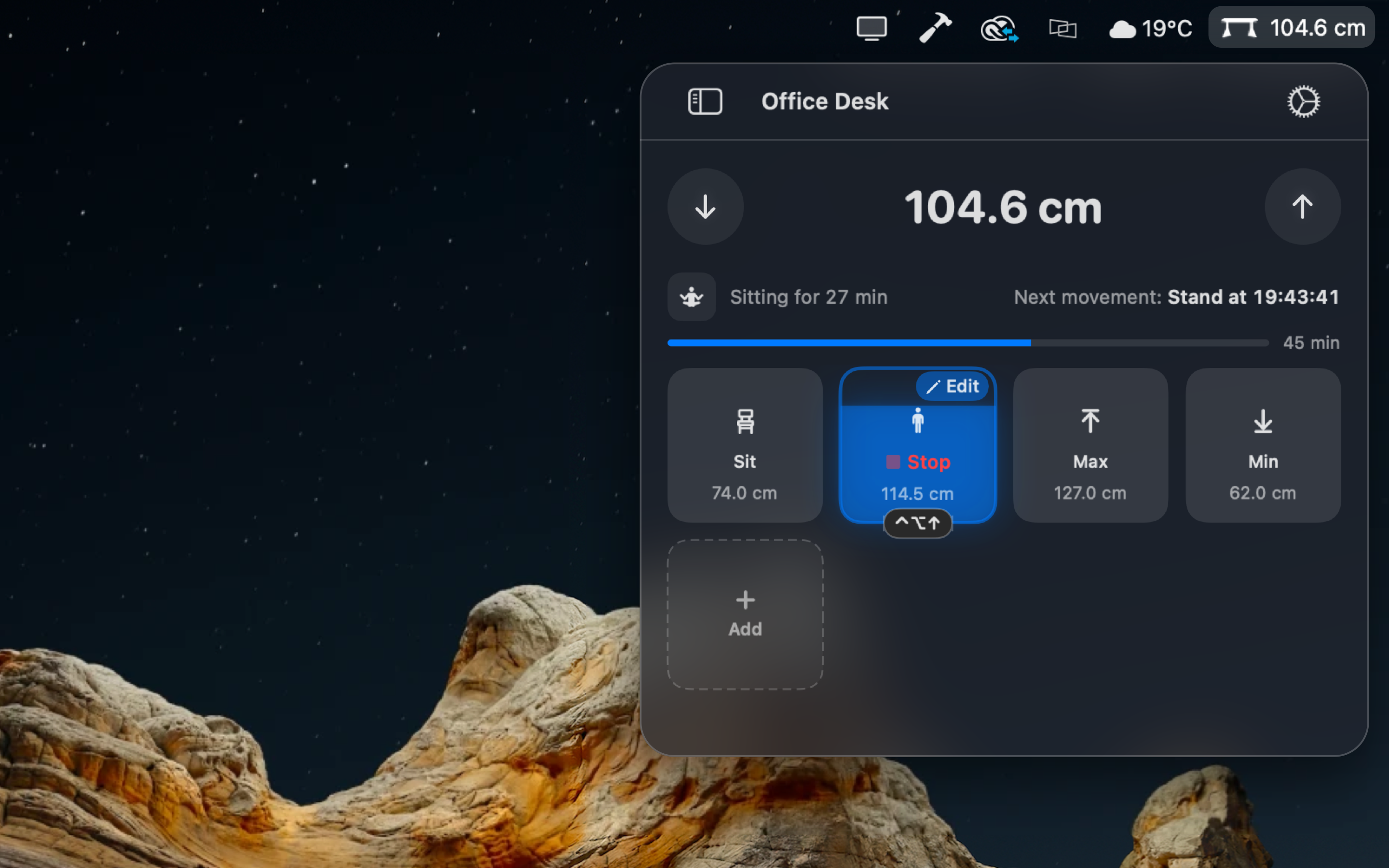
- Move the desk from the menu bar, with the live height next to the icon.
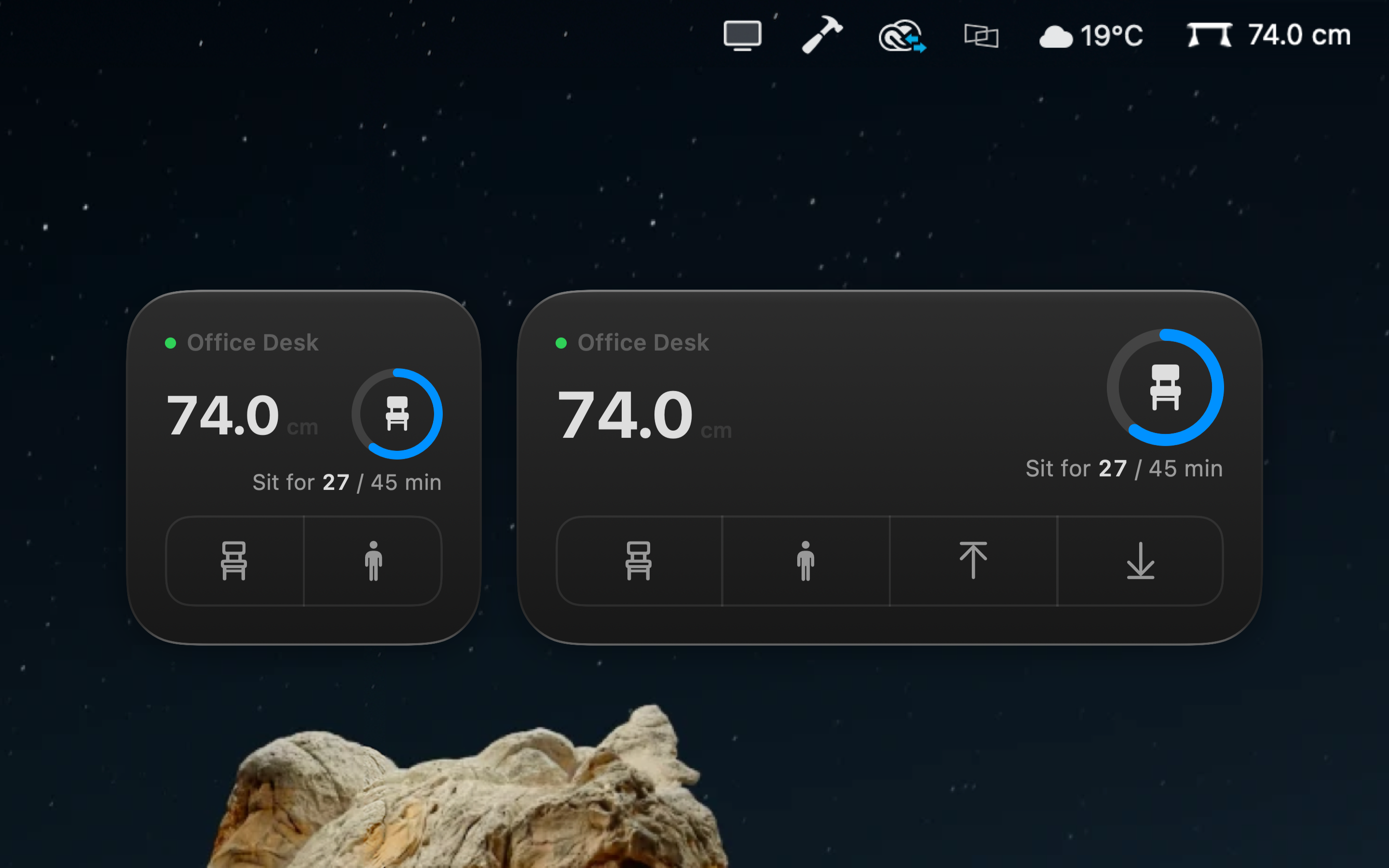
- A desktop widget in two sizes: the desk's height, how long you've been sitting or standing, and one click to move it (macOS 27).
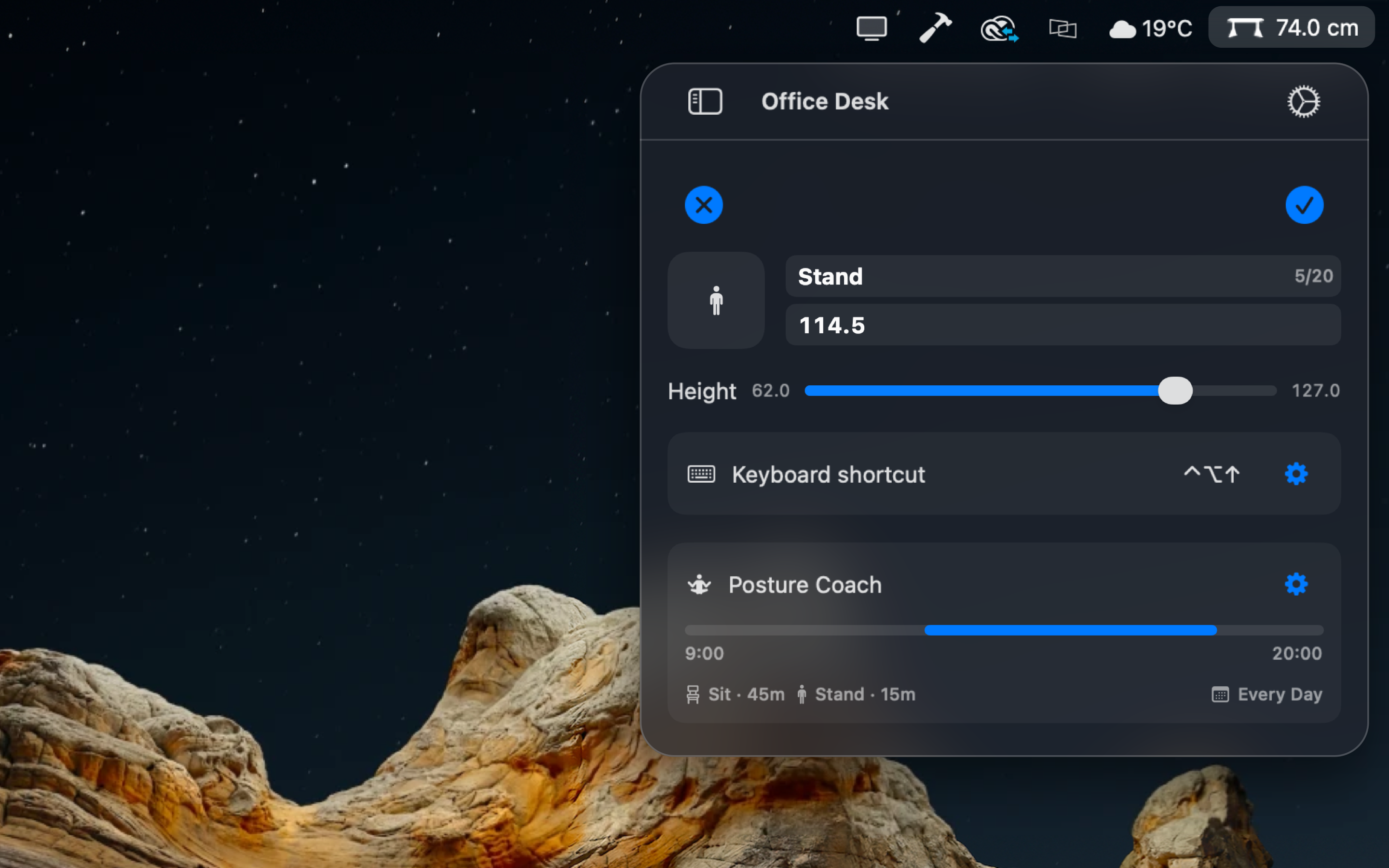
- Up to 12 named memory positions, each with its own icon, as a grid or a list in the order you choose.
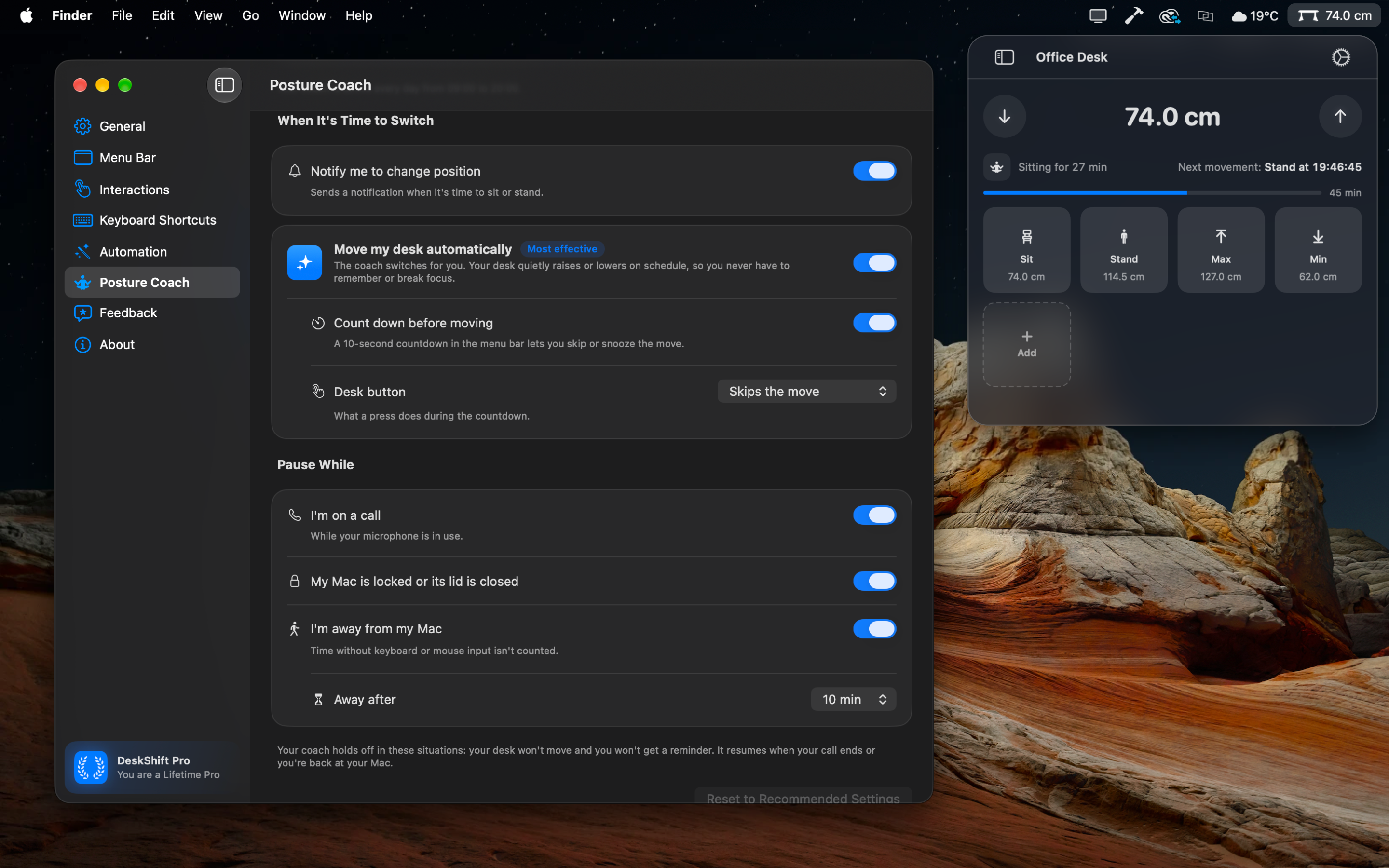
- Posture Coach: reminders to switch positions, or the desk moves itself on a schedule, after a 10-second countdown you can skip or snooze.
- The coach waits while you're on a call or the Mac is locked.
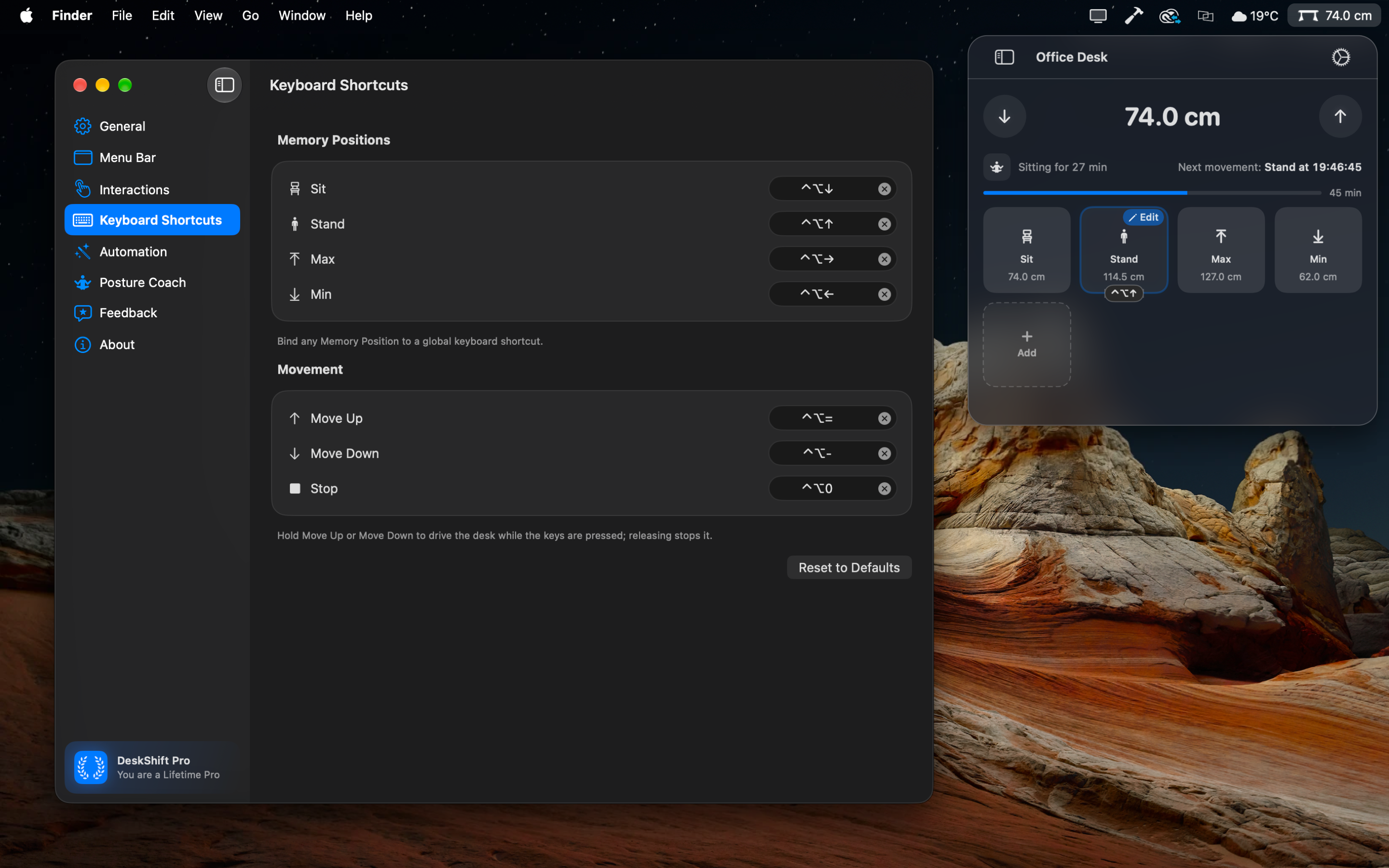
- Global keyboard shortcuts for every position, and for up, down and stop.
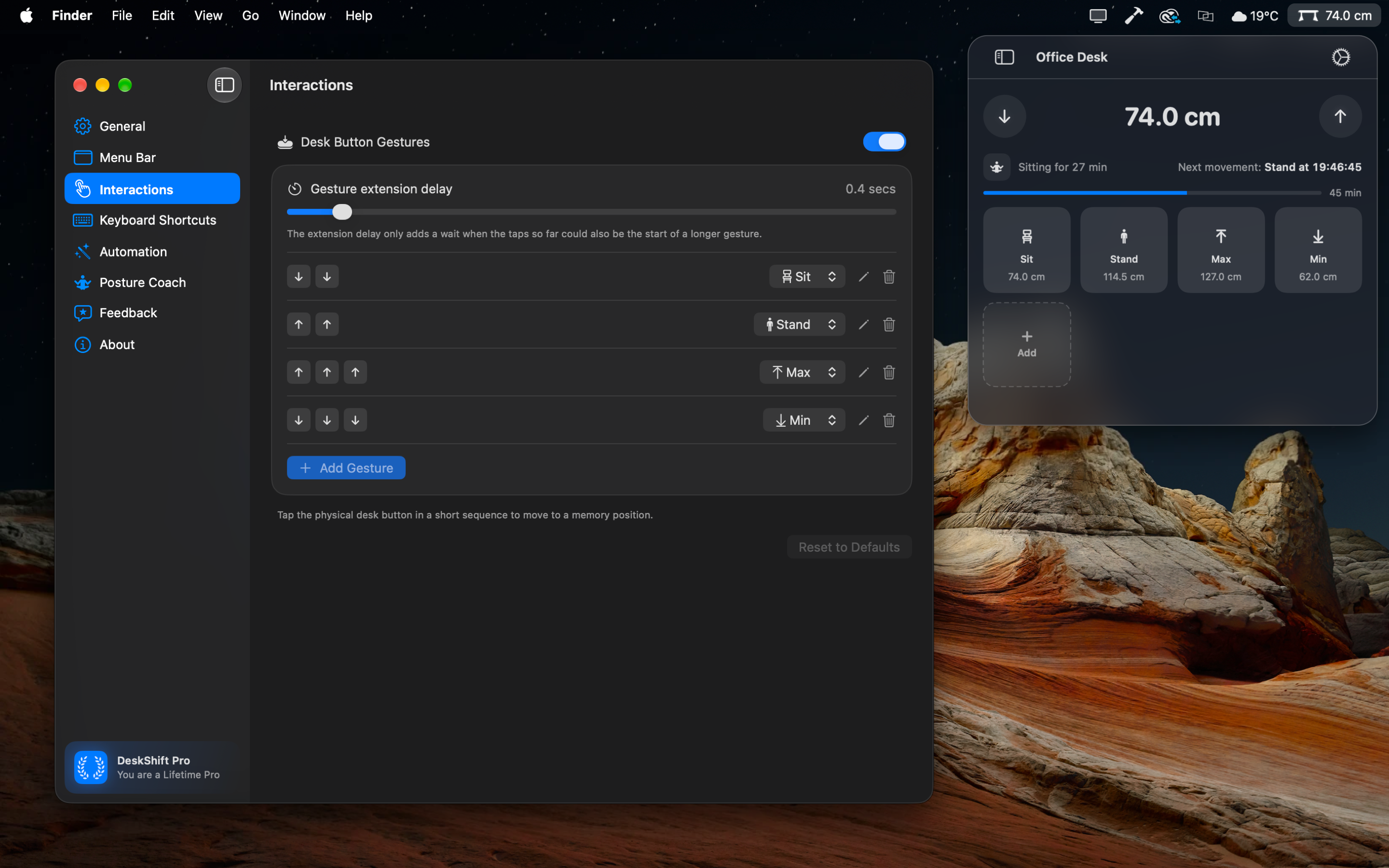
- Gestures on the desk's own button: a double-tap for Sit or Stand, or a tap pattern of your own for any position.
- Desk actions in Spotlight, the Shortcuts app and Siri.
- iCloud sync across Macs, and more than one desk.
New in version 1.4.0
Released November 23, 2026.
- A desktop widget in two sizes, on macOS 27: the desk's height, how long you've been sitting or standing, and one click to move the desk to a position.
- Each widget shows the positions you pick, in your order.
- Bug fixes and improvements.
Images
Click an image to download the full-size PNG.
About the developer
Ionut Binisor is an iOS and macOS developer in Bucharest, Romania, writing Swift since 2017. DeskShift is a solo project: designed, built and supported by one person. More about Ionut →
DeskShift is an independent app. It is not affiliated with, endorsed by, or sponsored by IKEA or LINAK. IDÅSEN is a trademark of Inter IKEA Systems B.V.